
TailOut Studios · Firmware mods & OS hacks for vintage samplers
OS Firmware Mods
New operating systems for the E-mu Emulator II, the E-mu E4XT Ultra and the Akai S900 / S950. They load from floppy or Gotek, with no soldering and no hardware changes.
Emulator II
EIIFX turns the Emulator II into a live effect. Send any signal through it and it comes back with the machine’s character: sample rates down to 240 Hz, the original SSM2045 filter, delay and freeze. The SP12 sampling OS adds lo-fi sample rates and lets you play samples across the full keyboard.
E-mu E4XT Ultra
EOSFX turns the E4XT Ultra into a live effects processor. Its stereo input runs through a full Ultra voice with Z-plane filters, LFOs and the master effects, with about 5 ms latency and no RFX card. Beta, with 100 FX presets.
Akai S900 / S950
SP MODE gives the S900 and S950 the gritty, aliased sound of the E-mu SP-12 on all 8 voices. Since v4 it also works on the recording input.
Why it sounds this way
Old samplers get their sound from their converters, filters and low sample rates. These mods don’t imitate that sound. They use the machine’s own hardware. Put a drum bus, a synth or a vocal on an aux send to the Emulator II and it picks up that grit live. On the Akai, samples played below their original pitch keep the rough overtones the SP-12 is known for.
Made in Dresden
Developed and tested by Jacob Korn at TailOut Studios in Dresden, on his own machines. Jacob was product manager and head of quality management for MAGIX Sound Forge and the MAGIX audio plugins. The mods load like any system disk, and the factory OS is one disk change away.
Available devices · click to open
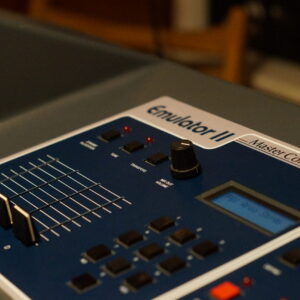 E-mu Emulator IISP12 sampling OS + EIIFX live FX · two disks, beta
49,99 €
Two new operating systems for the Emulator II and II+ in one download. The SP12 sampling OS keeps everything you know from OS 3.1 and adds lo-fi sample rates, the full keyboard range and snappier envelopes. EIIFX turns the sample input into a live effect that runs through the EII’s 8-bit companding converters and its analog SSM2045 filter.
SP12 sampling OS
- Record at 27.8, 13.9, 6.9 or 3.5 kHz. The input monitor already runs at the chosen rate, so you hear the grit before you record
- More sampling time: on a 1 MB EII+ about 17.6 s at 27.8 kHz, up to about 140 s at 3.5 kHz
- Samples play across all 61 keys and up to four octaves below the original key, without the octave folding of the original OS
- SP-12 switch: anti-alias and output filters fully open for maximum aliasing, or back to the E-mu behaviour
- Snappier, analog-style envelopes: filter sweeps open fast and settle like an RC curve, concave amplitude attack. The original linear envelopes are one key away
- Cutoff and resonance for all voices from the panel, resonance twice as strong and able to self-oscillate
| Slider B | Recording sample rate in octave steps |
| Key 8 | Filter menu: A output filters, C cutoff, D resonance |
| Key 8, 8 | SP-12 switch on/off |
| Key 6 | Analog or original envelopes |
EIIFX live effect 0.5
- The sample input runs through a ring buffer in sample memory: dry signal on output 1, effect on output 2, so it can run 100 % wet
- Sample rate from 13.9 kHz down to about 240 Hz on an exponential slider curve
- Anti-alias filter in front of the converter, SSM2045 cutoff and resonance, all gliding between values
- Delay from 2.3 ms to 2.2 s, plus freeze to loop the buffer
| Slider A / CC 74 | Anti-alias filter |
| Slider B / CC 76 | Sample rate |
| Slider C / CC 75 | Cutoff |
| Slider D / CC 80 | Resonance |
| CC 78 / CC 81 | Delay time / freeze |
What’s new
- 3 Nov 2026: SP12 sampling OS added (beta). Envelope changes now apply from the next note.
- 2 Nov 2026: EIIFX 0.5: clean delay at the original pitch at every sample rate, twice the delay time. Tested on the instrument.
Requirements
Emulator II or II+ with HxC or Gotek floppy emulator, tested on an EII+ (1 MB, boot ROM v2.3). Delivered as two HFE disk images with a README. The OS mods will be extended after the beta feedback. Back to normal: boot any regular EII disk.
Demo video
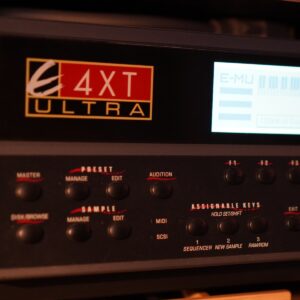 E-mu E4XT UltraEOSFX · live input FX OS · beta
Soon
Without an RFX-32 card the E4XT can’t process external audio. EOSFX patches EOS 4.70 so the stereo input plays through a normal Ultra voice in real time, with about 5 ms latency. The whole synth section works on live audio: Z-plane filters, envelopes, LFOs, PatchCords, the master effects and the sub outputs.
Features
- Stereo live input through a regular Ultra voice, about 5 ms latency, no RFX card
- Any Z-plane filter, envelope, LFO and PatchCord on the live signal, edited in the normal preset pages
- Master FX A/B and sub outputs 1-3 for reverb, delay, chorus and parallel processing
- Bank with 100 ready-made FX presets: filters, wah, phaser, flanger, vowel and EQ, auto-pan, tremolo, 14 reverbs, 10 echoes, chorus, distortion and combinations
- Real-time control with the MIDI controllers A and B
- Interpolation filter off when samples are transposed up, for bright aliasing
- Sampling, loading and editing keep working
Install and play
| Flash once | Boot the EOSFX disk from floppy or Gotek, confirm “Update FLASH” and “Burn to flash” |
| Load bank | Live Input bank, preset 000 = clean input |
| Start | Audition or any note (MIDI Omni) |
| Controls | MIDI A / B (CC 21 / 22 by default) |
What’s new
- 3 Nov 2026: EOSFX 0.3 beta with the 100-preset Live Input bank.
Requirements
E-mu E4XT Ultra with EOS 4.70 and a Gotek (HxC, .hfe) or another floppy emulator for the update. The update boots from floppy or Gotek only, not from an IDE or SCSI drive. EOSFX installs into flash like an official EOS update and uses 4 MB of sample RAM for the input buffers. Beta: the live input does not start by itself on every setup yet, so press Audition or play a note. Back to normal: flash the original EOS 4.70 disk.
Demo video
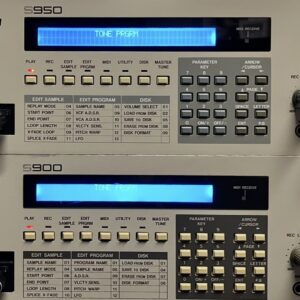 Akai S900 / S950SP MODE sampler OS · SP-12 grit on all 8 voices
24,99 €
SP MODE is an update for the own sampler OS of the Akai S900 and S950 – one purchase, disk images for both samplers. Normally the sampler closes its anti-alias filter whenever a sample plays below its original pitch. SP MODE switches that filter tracking off on all 8 voices, so pitched-down samples keep their top end and alias the way an E-mu SP-12 does. Sampling, editing and disk functions work like on the stock OS.
New in v4: SP MODE also keeps the input filter open while you record. Use the classic 45 rpm trick: play the record at 45 instead of 33, sample it at around 8 kHz, then play it back 5 semitones lower – the treble folds back into the sample as SP-12 style grit.
Features
- SP MODE on the Master Tune page: filter tracking off on all 8 voices
- Switch it from the front panel or via MIDI CC 77, live while playing
- FILTER 0-99 covers the whole range, about 166 Hz to 20 kHz on a log curve. The stock OS does nothing below about 22 and above about 80
- Input filter stays open while recording: low sample rates (around 8 kHz) keep the aliasing
- S950: sounds saved on the SP MODE disk load automatically after booting
- Finer filter steps with a 16-bit divider instead of 8-bit
- Filter clock never drops below 8 kHz, which keeps clock bleed out of the audio
Control
| Master Tune page | SP MODE on/off with the knob |
| CC 77 | SP MODE on/off |
| FILTER 0-99 | About 166 Hz – 20 kHz (S900: 16 kHz) |
Requirements
Akai S950, or Akai S900 with OS 4.0 EPROMs (they boot from disk; OS 1.0 cannot). Floppy drive or Gotek, no EPROM swap. Delivered as disk images for S900 and S950 with a step-by-step README. Back to normal: boot from the internal ROM. Because of the new filter curve, existing programs can sound different than on the stock OS.
Demo video
FAQ
What is a sampler OS mod?
An OS mod, also called custom firmware or a firmware hack, is a modified or newly written operating system that your sampler loads from floppy disk, the same way it loads its factory OS. Nothing inside the machine is changed, so there is no soldering and no EPROM swap.
Do I need a Gotek or HxC floppy emulator?
A floppy emulator is the easiest way: copy the image file to a USB stick or SD card and select it. With a real floppy drive you can write the image to a disk with a tool like Greaseweazle.
Can I go back to the factory OS?
Yes. The Emulator II, S900 and S950 load the OS into RAM, so the next boot from a normal disk or from the sampler’s internal ROM brings everything back.
Can I control the effects from my DAW?
Yes. EIIFX reads MIDI CC for anti-alias filter, sample rate, cutoff, resonance, delay and freeze. On the S900 and S950, SP MODE switches on and off with CC 77.
How do I use the Emulator II as an effect in a mix?
Patch an aux send from your mixer or audio interface into the sampler input and bring the output back on a return channel. Set the effect fully wet and blend it in with the return fader.
What do I get after buying?
A download with the disk image for your sampler and a short guide covering installation, controls and the way back to the stock OS.
Can a firmware mod damage my sampler?
Both mods run from RAM and change nothing permanently: switch off, boot a normal disk, and the sampler is back to stock. You install the mods at your own risk, see the legal notes below.
Who develops these OS mods?
Jacob Korn, Dipl.-Ing. in media technology, at TailOut Studios in Dresden. From 2018 to 2021 he was product manager and in charge of quality management for MAGIX Sound Forge and the MAGIX audio plugin team, which shipped more than 20 effect plugins. Every OS mod is tested on his own instruments before release.
Is my sampler not on the list?
Work on more machines is in progress. If you own a vintage sampler and want an FX OS for it, get in touch.
Legal notes
Trademarks. Akai, S900, S950, E-mu, Emulator, SP-12 and all other product and company names on this page are trademarks of their respective owners. They are used solely to identify the instruments the firmware is compatible with. TailOut Studios and these firmware mods are independent and not affiliated with, endorsed or sponsored by the manufacturers or current trademark owners of these instruments.
Use at your own risk. Installing and using firmware on vintage instruments is done at your own risk. Back up your disks, samples and settings before you start. The firmware is provided as described on this page; we give no guarantee that it works with every unit, revision or modification.
Liability. TailOut Studios is not liable for damage to instruments, disks or data, or for loss of value of vintage hardware, arising from the installation or use of the firmware, unless the damage was caused intentionally or by gross negligence. This does not limit liability for injury to life, body or health, liability under the German Product Liability Act, or any statutory consumer rights that cannot be excluded by law.